
Key takeaways
- Microsoft introduces new features for practical Copilot use cases
- Brand management has never been easier than with the new Brand Kits
- Further innovations expand the capabilities of AI models and provide support for contract reviews
Documents are often created as blank, unformatted files that have to be adapted to the brand later – at the very least, by adding a logo. This leads to an inconsistent company image. Copilot helps.
When creating an Excel report or a PowerPoint presentation, the focus is on the content, the story, and the message that should resonate with the audience, rather than on the brand image. This often leads to inconsistently designed documents. The outside world gets a "skewed" impression of the company. A poorly maintained brand does not benefit your reputation and weakens customer loyalty. It doesn't have to be this way.
The new Brand Kit in the Microsoft Copilot app changes that. It contains all the materials and instructions needed to automatically format newly created documents without changing the content. "This is an important step for brand management," says AI specialist Sven Heeb. "And it's a brilliant use case for AI, where it really plays to its strengths." What he means: manual readjustment of brand elements is no longer necessary, and they are less likely to be forgotten entirely. Plus, creators don't have to worry about the meticulous implementation of branding guidelines. "Microsoft has given Copilot a clever feature to strengthen business!"
The specialists at Baggenstos are familiar with these new features and keep a close eye on technical developments. They know exactly how these AI functions can move SME clients forward.
What a Brand Kit includes
The Microsoft Copilot app allows brand managers to create and maintain official Brand Kits so that branding is consistently standardized across the entire company. Employees automatically gain access to essential materials for a uniform corporate design. A Brand Kit includes the following elements:
- Logos, color palettes, and typography
- Templates and layout patterns
- Icons and data visualization styles
- Rules for photography and image styles
- Brand voice, tone, terminology, and writing guidelines
- Dos and don'ts for visual and verbal identity
The new feature also makes it possible to manage multiple brands. Official brand kits—managed by brand managers—are available to everyone in the tenant across the entire organization. Other kits are available to specific user groups based on user permissions. Creators can also build personal kits.
How to use a brand kit
To create a brand kit, simply click "Create" in the left navigation menu of the Microsoft Copilot app, then select "More" and choose "Brand Kits." After creating a new kit, you can configure its elements, such as logos, colors, fonts, images, icons, templates, as well as samples for brand voice, brand guidelines, and the definition of the visual style for documents.
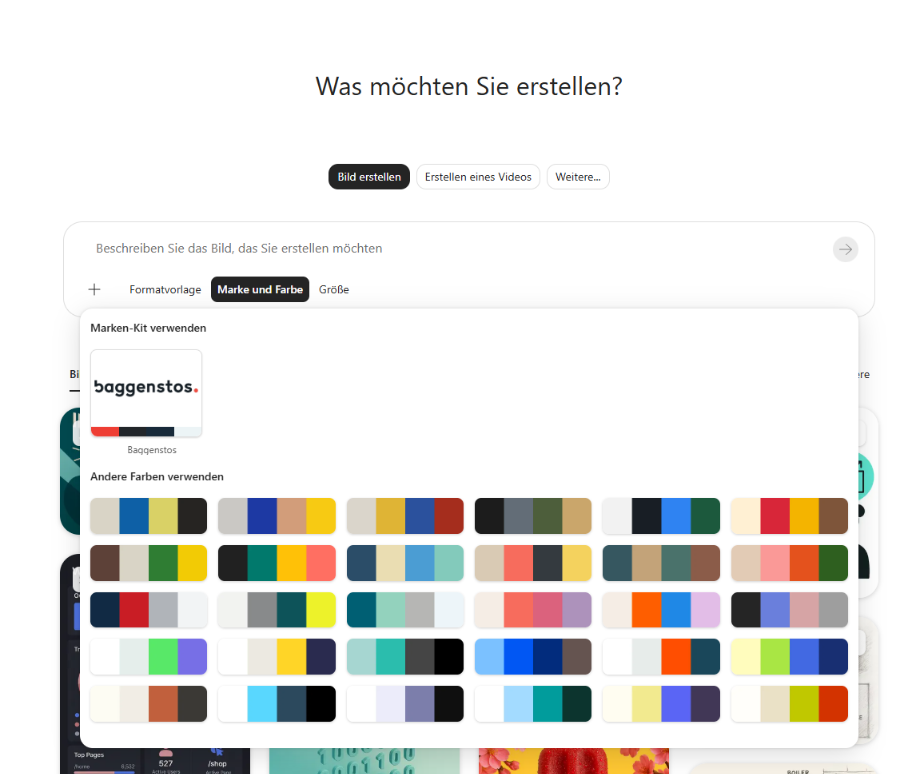
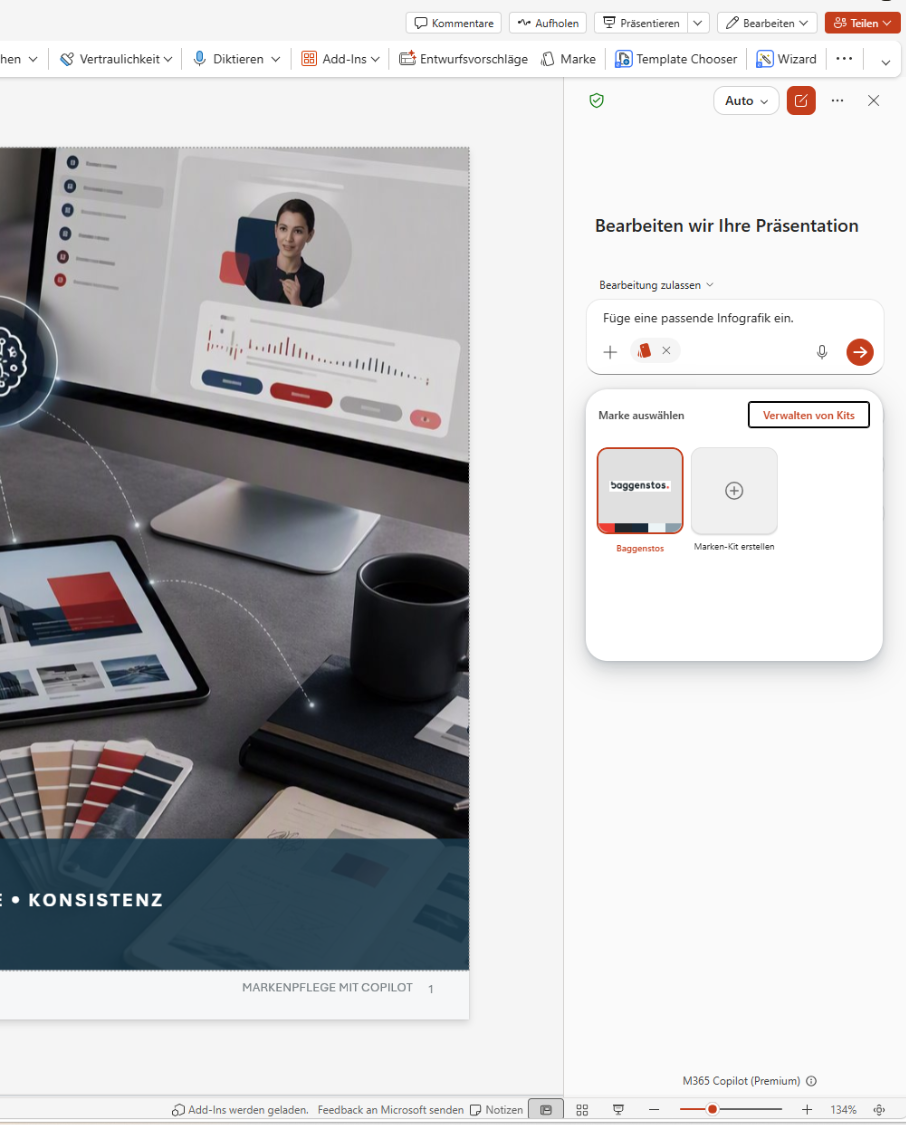
To adapt a finished document according to a brand kit, open the Copilot pane in the relevant app and select the appropriate brand kit using the "+" and "Select brand" options. Describe how the document should be adjusted in your prompt. You can also have a new document created from scratch here.
Brand kits require a Microsoft 365 Copilot license. You also need brand manager permissions. If you lack these, you can only store brand elements for personal use.
More Copilot innovations
Copilot uses "Skills" to handle recurring tasks in Excel and PowerPoint. Skills provide agents with instructions, expertise, or workflows, saving you from having to re-prompt for the same tasks over and over. You can trigger saved skills with a click or by mentioning the "@skillname." You can create a skill via the Copilot chat area in the "Add skill" menu.
To strengthen compliance, contracts should not violate internal contract standards or playbooks. The Copilot Legal Agent in Word identifies potential risks and violations and warns of unusual contract clauses. The agent is available in the Frontier program. We are happy to assist with the activation and setup of the agent, says Ivo Gonzenbach. Here, too, Microsoft demonstrates how AI can be used effectively: the AI legal representative flags potential compliance violations at an early stage and identifies legal pitfalls, which saves costs.
Click here for the link in your Microsoft Copilot: Create brand kit