Never again break a sweat over cybersecurity
Key takeaways
- Holiday season increases cyber risks.
- MFA, Passkeys, and Conditional Access effectively protect against attacks.
- Vigilance against phishing and secure behavior remain crucial.
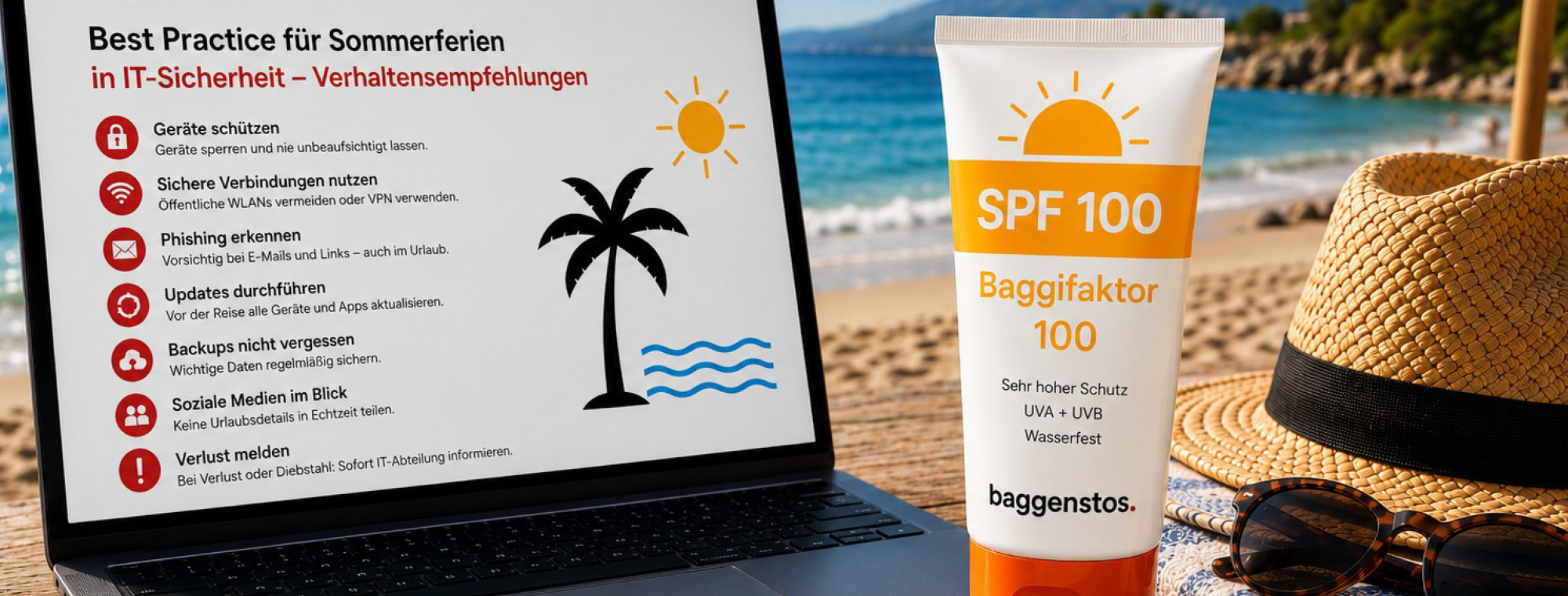
During holidays, attention tends to wane. A refresher security training right before departure is beneficial, especially if your laptop and work phone are also packed. Those who diligently check their security now can relax on the beach with peace of mind. With little effort, basic security can be achieved, preventing many attacks or, in the worst case, ensuring a manageable outage.
Security Tips for Admins
Access must be securely managed: Multi-factor authentication (MFA) and Conditional Access are mandatory for all roles, without exception – this way, attackers won't find any loopholes. Furthermore, now is the right time to switch to passkeys. The Microsoft ecosystem supports this passwordless technology, which renders phishing attempts ineffective.
Conditional Access is the method of choice when employees are frequently on the go. This allows precise control over where access to company services is permitted. Not from holiday countries, for instance. Risk-based access blocks requests if they do not comply with the defined policy.
Generally, administrators should take this opportunity to review user accounts and restrict permissions. Less is more secure. You should conduct such access reviews every few months. So-called "break-glass" accounts are intended only for emergencies. They are highly protected and monitored. Privileged Identity Management ensures time-limited access according to roles and their security clearance – and pulls the imaginary plug on too many Global Admin accounts.
Consult the specialists at Baggenstos to adapt your M365 security settings to your organization.
"Security is also a matter of business processes and productivity," says Sven Heeb from Baggenstos. "It requires an optimal balance: We know the necessary settings from SME practice."
Security Tips for Users
It's becoming increasingly difficult to spot phishing emails. They are often deceptively created by AI and orchestrated in waves. Technically, employees are well-protected with a properly configured M365 environment. It's human nature to skim emails and react to trigger words like: "Act immediately," "Refund," or "Criminal complaint." The rule still applies: Read, Think, Click. If the email creates pressure, appeals to emotions, or contains threats, it is certainly a phishing email. Requests that you did not initiate yourself should be ignored or reported to your supervisor. And of course: Do not open unknown attachments or links in emails.
Companies that manage their data protection with Microsoft Purview are well-protected against the accidental leakage of important data. This also includes sharing data only according to strict rules – preferably not as an open link and without inviting others to edit.
In holiday mode – on foreign networks – it's even more crucial to keep risks to a minimum. Do not process sensitive data on public Wi-Fi; use your company's VPN software. If you absolutely must work: Disconnect your mobile data connection and only enable it under secure conditions. If the device is stolen or lost, the loss must be reported to the IT department first. They will remotely wipe the device and lock all accounts. When you return to work afterwards, you will have internalized the most important security rule for holidays: Switch off all digital devices and relax.
SME Security Toolkit
- Implement MFA and passkeys as standard for all accounts
- Avoid global admin accounts: Set up and rigorously secure break-glass accounts
- Actively use Conditional Access and minimize risks: Block Legacy Auth, block risky sign-ins
- Phishing best practices for operations: "Read, Think, Click"; consistently report suspicious emails, never confirm MFA pushes that you did not initiate yourself
- Properly classify and share data: OneDrive/SharePoint links only to authorized personnel, set an expiration date, allow editing only when necessary
- Pre-holiday emergency routine: clear device loss process (contact, lock, remote wipe), annual test