Microsoft Teams update: greater efficiency, less effort

Key takeaways
- New features in Teams: a search bar in settings, Teams Mobile as the default calls app, multitasking with separate windows, screenshot protection in Premium meetings and a smarter Channel Agent
- The first certified Wi-Fi phone (Yealink MP66W) for rugged environments, plus a Queues app with shared call history for phone queues directly in Teams
Microsoft continues to develop the collaboration platform Teams on an ongoing basis. At the Ignite conference, further new features were announced. Below is an overview of selected new capabilities that have been or will be released in the near future.
The latest Teams features improve the way configuration options are found, streamline workflows, enhance privacy and intelligence in channels, and make it easier to use Teams on smartphones. Teams is not just about software features. A new certified Wi-Fi phone enables straightforward communication with colleagues, even in production facilities or warehouses.
Find settings quickly
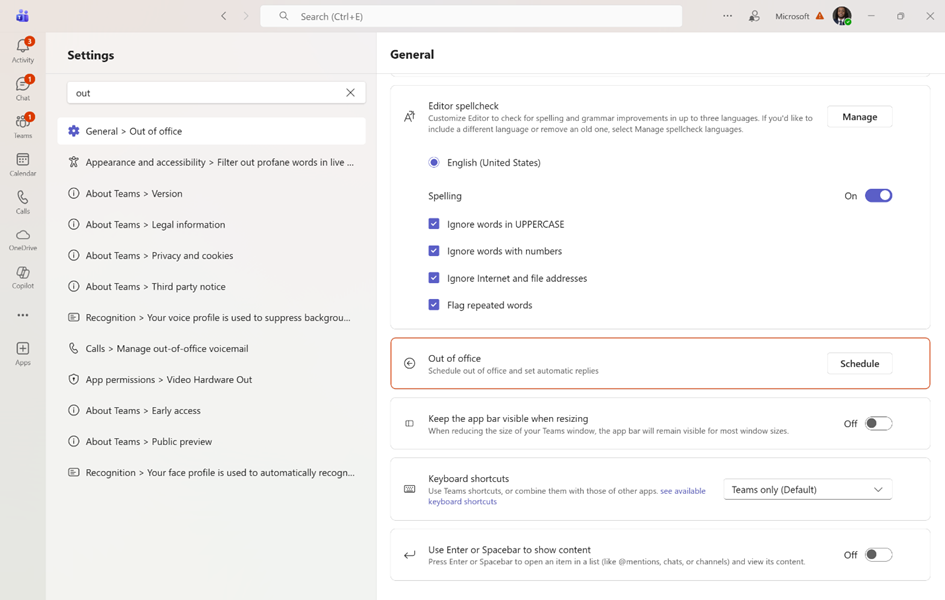
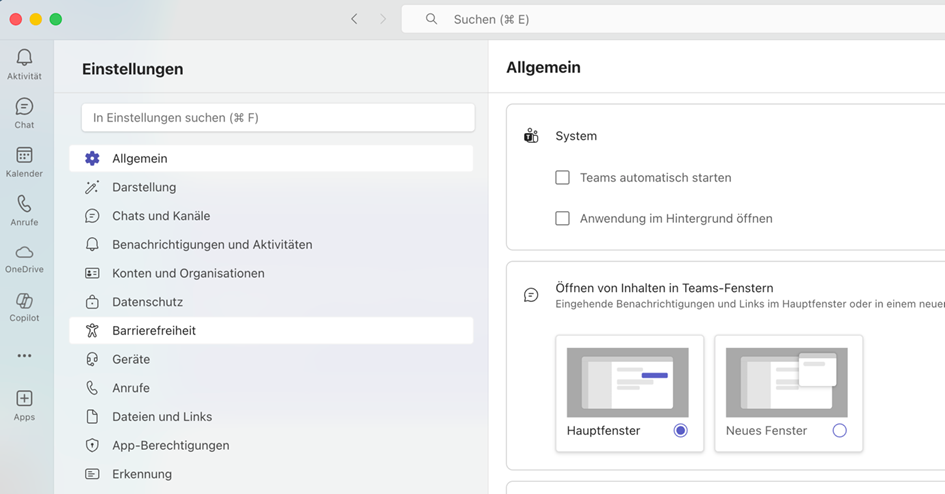
Teams now includes a new search bar at the top of the settings menu. This removes the need to click through an ever-growing menu. Simply enter a keyword such as “notifications” or “dark mode” to jump directly to the relevant option.
Set Teams Mobile as the default calling app on your smartphone
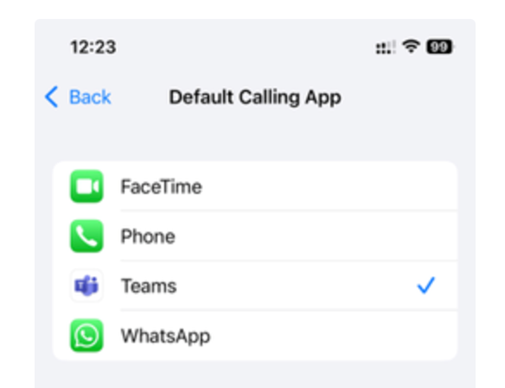
Make calls on the move with Teams as your default. With this new setting, every call is initiated and received via Teams instead of the native phone app on the smartphone. Benefit: organisations can better meet regulatory security and compliance requirements, as more conversations run through Microsoft Teams, even when employees are mobile.
Organise Teams for multitasking
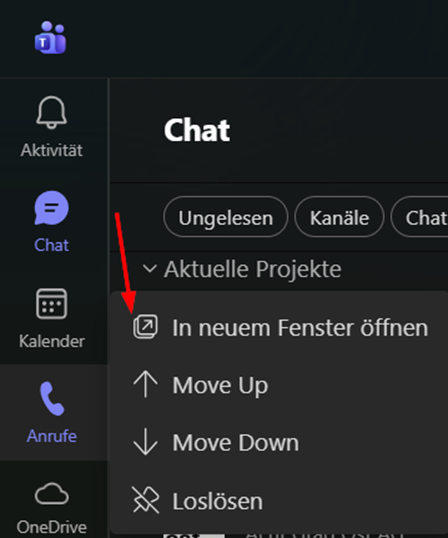
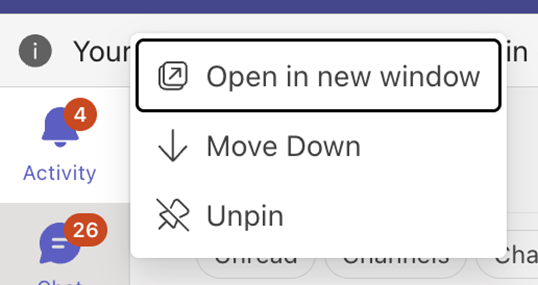
Teams chat, calls, calendar and more can now be opened in separate windows. This allows you to keep multiple tasks in view at the same time and create a personalised workspace. Whether you are catching up on chats while reviewing call history, or managing notifications alongside your calendar, this update helps you stay productive without constantly switching between tabs. Simply right-click on an app icon. More information
Wireless and rugged: new Teams phone

The wireless Wi-Fi phone Yealink MP66W is designed for organisations with a mobile workforce operating in demanding environments. It is currently undergoing certification as a Teams device and will be one of the first Wi-Fi-enabled, cordless devices for Microsoft Teams. With a rugged housing for challenging environments such as manufacturing, it enables native Teams calls over Wi-Fi. AI-powered noise cancellation ensures clear conversations even in loud surroundings, and the long-lasting battery easily covers extended shifts. In addition, a dedicated emergency button provides immediate safety. Visit manufacturer
Queues app will soon share call queues with other users
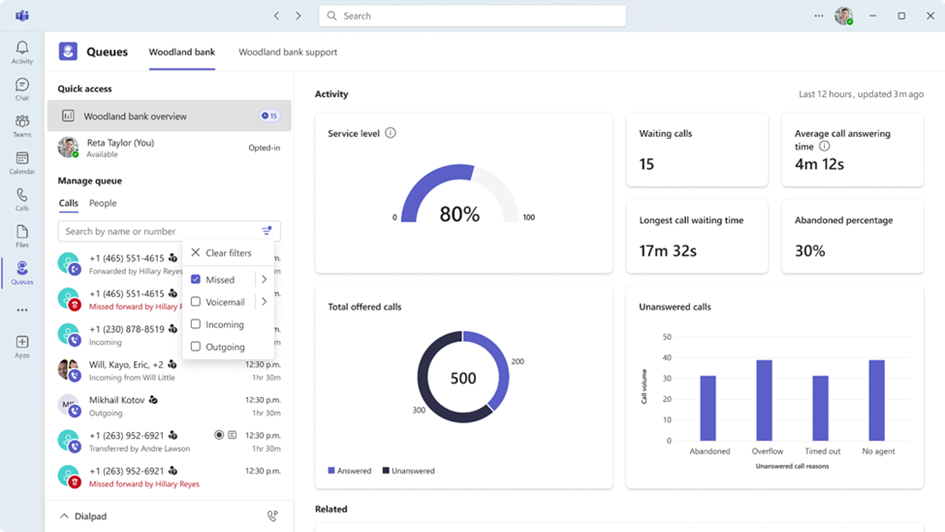
Shared Call History for the full call activity in the Teams Queues app requires a Teams Premium licence per user and makes third-party solutions unnecessary. The app manages Teams phone calls including call queues and is aimed at organisations that want to efficiently control and monitor customer calls. All information and settings are now available directly in Teams. Data can be analysed for up to 27 days, and supervisors can make adjustments independently. The feature is disabled by default and must be enabled by administrators in the Teams Admin Centre. More information
Screenshot protection for enhanced privacy
Teams Premium users can use Prevent screen capture to block screenshots during video meetings on Windows and Android devices. When enabled, the meeting window is displayed with a black frame on Windows. On Android devices, a clear warning indicates that screen capture is not permitted.
Channel Agent becomes smarter and more capable
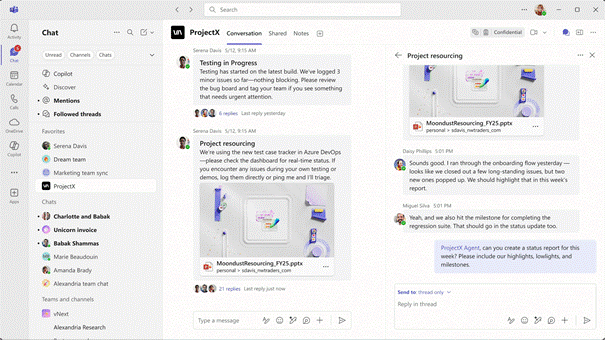
Each channel can have a Channel Agent based on its conversations, files and meetings, acting as a subject-matter expert for the team. The Channel Agent is available with a Copilot licence and can now generate status report updates and work plans.
Sources and further links to Teams news
Microsoft Teams Public Preview & Targeted Release
More Baggenstos Teams updates
New chats and channels experience: the biggest change in Teams over the past year